1 min read
Tools Microsoft Provides for AI Transparency and Accountability
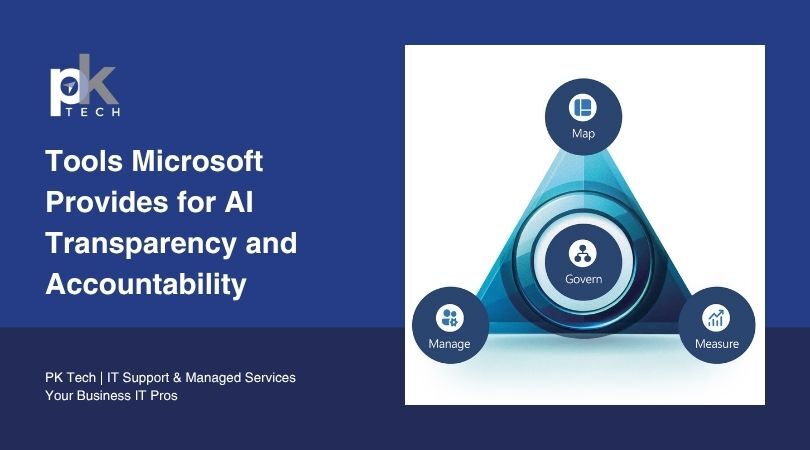
Microsoft has built a set of tools designed to make AI systems more transparent, more auditable, and less likely to cause harm. But behind those...
10 min read
Jordan Hetrick
:
July 10, 2026
TL;DR: Most CPA firms are running Microsoft 365 with the same default settings from the day the account was set up, leaving security tools they're already paying for completely idle. The platform's built-in features (Defender for Business, Conditional Access, Purview, and the Unified Audit Log) directly address several of the FTC Safeguards Rule's nine required controls. A properly configured Microsoft 365 tenant does most of the technical compliance heavy lifting without adding a line to the budget. The gap between "we have Microsoft 365" and "our Microsoft 365 is actually secure" is a configuration problem, not a spending one.
Microsoft 365 is one of those tools that feels like it's working just because it's running. Email arrives, files open, Teams connects, and nobody files a complaint. For most accounting firms, that's the whole feedback loop: if nothing is broken, nothing needs attention.
It's a bit like buying a high-end security system for your office, having it installed, and then never activating the motion sensors or setting the alarm code. The panel is on the wall. The wiring is done. The monthly monitoring fee is on the invoice. But the doors are about as secure as they were before you bought them, because the part that actually does the protecting was never turned on.
The reason this matters right now is that CPA firms are a concentrated target. A single tax season produces hundreds of client files containing Social Security numbers, bank account details, and business financial records, all accessible through a single set of login credentials if those credentials get compromised. The IRS has flagged accounting firms as repeat targets for Business Email Compromise, and federal regulators have formalized cybersecurity requirements for financial services firms that include specific technical controls most practices haven't implemented.
Microsoft 365, properly configured, addresses several of those requirements directly. The tools are already in what most firms are paying for. They're just not turned on.
This post covers what it actually takes to make Microsoft 365 work as a security platform for your accounting firm.
Microsoft 365 isn't one product. It's a collection of services bundled under one subscription: Exchange Online for email, SharePoint and OneDrive for file storage and collaboration, Teams for communication, and a set of security and compliance tools that most firms have never explored.
The security side is built around four components worth knowing by name.
Microsoft Entra ID (formerly Azure Active Directory) is the identity and access management layer: it decides who can log in, from which device, from where in the world, and under what conditions. Every time someone at your firm opens Outlook or logs into SharePoint, Entra ID is checking whether they're allowed to do that.
Microsoft Defender for Business is the threat detection and endpoint protection tool. "Endpoint" is IT language for any device that connects to your network. Unlike basic antivirus software, which looks for known bad software, Defender uses behavioral analysis to catch threats that don't match a known pattern yet.
Microsoft Purview is the compliance and data governance layer. It classifies sensitive documents, sets retention policies, and creates rules that automatically encrypt outbound emails containing information like Social Security numbers.
Microsoft Intune is the device management tool. It lets a firm set a security baseline that any device must meet before accessing company data. If a device doesn't meet the standard, Intune can block it from connecting.
All four of these ship with default settings oriented toward ease of use, not security. The tools are there, they're included in many license tiers, and they're not doing anything useful until someone configures them.
From an attacker's perspective, a CPA firm is a particularly attractive target because it concentrates a lot of valuable information in one place. A single tax season produces dozens or hundreds of client files, each containing Social Security numbers, bank account details, income records, and business entity structures. That's a concentrated goldmine, accessible through a single set of login credentials if those credentials get compromised.
The IRS and state tax agencies have flagged accounting firms as repeat targets for Business Email Compromise (BEC). The concept is straightforward: an attacker gets access to one staff member's email account, reads quietly for days or weeks to learn the firm's patterns and clients, then sends a convincing email requesting a wire transfer or bank account change at exactly the right moment. The firm or the client wires the money before anyone realizes the email didn't come from whom they thought it did.
Microsoft 365's security tools exist specifically to interrupt this kind of attack. The problem is that most accounting firms haven't turned them on.
Microsoft 365 includes several security features that are directly relevant to how accounting firms handle and protect client data. Here's what each one does and why it matters.
Multi-factor authentication (MFA) is the requirement to verify your identity in more than one way when logging in: your password plus a text message or app notification confirming it's really you. Most firms have turned on MFA at some point.
What many don't realize is that turning it on and actually enforcing it are different things. Older email protocols like IMAP and SMTP can bypass MFA entirely if they're still active in the tenant. An attacker who gets a password can use these protocols to log straight into the account without ever being asked for a second verification step.
Closing this gap requires Conditional Access policies: rules set in Microsoft Entra ID that define the conditions a login must meet before access is granted. A properly configured Conditional Access policy requires MFA for all users on all apps and blocks legacy authentication protocols entirely. If your firm is still running on Microsoft's Security Defaults, this is the first thing worth upgrading.
If your firm is on Microsoft 365 Business Premium, Microsoft Defender for Business is included in the license. Most firms on Business Premium have never activated it.
This isn't a small oversight. Defender for Business provides Endpoint Detection and Response (EDR), a significant step up from basic antivirus. While antivirus software looks for known malicious software, EDR watches the behavior of every process running on a device and flags things that look suspicious, even if they don't match a known threat. It can automatically isolate a compromised laptop from the rest of the network before ransomware spreads to the file server where client documents live. Activating it requires onboarding devices to the Defender console: a setup task, not a recurring expense.
Microsoft Purview is the compliance and data protection toolset inside Microsoft 365. Two features are particularly relevant for CPA firms.
Data Loss Prevention (DLP) rules automatically scan outgoing emails and file shares for sensitive content: Social Security numbers, routing numbers, or keywords like "tax return" or "W-2." When they find a match, they can encrypt the message, alert the sender, or block it entirely, depending on how the rule is configured.
Microsoft Purview Message Encryption encrypts outbound emails automatically based on those DLP triggers. The recipient doesn't need any special software; they get a link, verify their identity with a one-time passcode, and read the message in a secure browser window. Setting up a mail flow rule to encrypt outbound messages containing certain keywords takes about 20 minutes and covers a meaningful slice of the compliance exposure most accounting firms carry from routine document delivery.
Here's something that happens at almost every firm that's been running for a few years: people leave, and their access doesn't get fully cleaned up. A staff member who departed 18 months ago may have a disabled Microsoft 365 account but still have access to a shared mailbox, a SharePoint folder, or a shared drive they were given access to during a project. Technically, the account is disabled, but lingering permission threads were never revoked.
Microsoft Entra ID provides the tools to audit this: which users have which access, which accounts still have active licenses, and which shared resources have permissions that haven't been reviewed since they were first set up. Running this kind of access review is one of the FTC Safeguards Rule's nine required elements and one of the most commonly skipped steps in practice.
Microsoft 365's default file sharing settings allow users to share documents with "anyone with the link," meaning anyone who receives it can open the file without logging in. For a firm sending internal memos, that's fine. For a firm handling client tax returns, financial statements, and payroll records, it's a data exposure risk.
Changing the default from "anyone" to "only people in the organization" or "specific people" is a single configuration change in the SharePoint Admin Center. It's not a dramatic technical undertaking, and it closes a gap that many firms would be surprised to learn is open.
The Unified Audit Log is Microsoft 365's central record of activity: who logged in from where, what files were accessed, what emails were sent, what settings were changed. If something goes wrong, the audit log is what tells you what happened and when.
It's not enabled by default on all license tiers, and even where it is enabled, many firms have never verified it's actually running. On most Business licenses, audit log data is retained for 90 days. For a firm that may not discover a breach for several weeks, 90 days can be the difference between a complete forensic picture and a critical gap in the record.
The FTC Safeguards Rule requires CPA firms to implement nine specific security elements as part of a written information security program. Microsoft 365, properly configured, provides the technical infrastructure to satisfy several of those elements directly.
The rule requires access controls: Conditional Access policies and regular Entra ID access reviews handle this. It requires MFA: enforced Conditional Access policies satisfy this. It requires encryption in transit and at rest: Microsoft 365 encrypts data at the infrastructure level by default, and Purview Message Encryption extends that to outbound client communications. It requires monitoring for unauthorized access: the Unified Audit Log and Defender for Business provide this. It requires managing service providers: Microsoft's published compliance certifications, including SOC 2 and ISO 27001, provide documented evidence of the platform's security posture.
The WISP itself is a document your firm needs to create and maintain. Microsoft 365 doesn't write it for you. But the tools above give you the technical controls the WISP describes, which is the other half of the compliance equation. A WISP that says "we use MFA and encrypt client data" needs the actual MFA enforcement and encryption configuration behind it to mean anything.
The penalty picture for FTC Safeguards Rule non-compliance isn't abstract. Civil penalties can exceed $100,000 per violation, with each affected client record potentially counting as a separate violation. A breach involving 500 client files isn't a $100,000 problem. The math gets uncomfortable fast.
Beyond the FTC, cyber insurance carriers are increasingly reviewing Microsoft 365 configurations at renewal time. Firms that can't demonstrate enforced MFA, active endpoint protection, and audit logging are finding coverage denied or premiums raised significantly. The tools that prevent those outcomes are already in the license most firms are paying for.
The gap between "we have Microsoft 365" and "our Microsoft 365 is properly secured" isn't a budget gap. It's a configuration and expertise gap. Someone with experience in Microsoft 365 security can look at a firm's tenant in a few hours and identify exactly which settings are open, which features are unused, and what needs to be configured. The work isn't ongoing in an expensive sense; it's mostly an initial setup project followed by routine maintenance.
A managed service provider with Microsoft expertise handles this setup, keeps the configuration current as Microsoft updates the platform, monitors Defender alerts, runs access reviews when staff turns over, and maintains the documentation the FTC Safeguards Rule requires. For a firm where the person making IT decisions is also reviewing returns, managing staff, and running a business, having a partner who owns the Microsoft 365 security configuration means that one component of the compliance picture is handled and not drifting.
Most accounting firms aren't one bad decision away from a data breach. They're one unchanged default setting away. The threat isn't sophisticated and the fix isn't expensive; it's a configuration problem sitting inside a platform the firm is already paying for, on an invoice nobody questions, doing a fraction of what it's capable of.
The FTC Safeguards Rule doesn't ask firms to build a security program from scratch. It asks them to implement specific controls, document them, and keep them current. Microsoft 365, properly configured, handles several of those controls directly. The firms that are compliant aren't spending more than the firms that aren't. They just have someone who actually set the thing up.
PK Tech was founded inside a CPA firm, which means Microsoft 365 security for accounting practices isn't a service line we added later. It's been part of the core work since 2009. We know which default settings leave firms exposed, which license tiers include the tools that matter, and what a properly configured tenant looks like for a practice of five people or fifty. We've had this conversation with enough accounting firms to know that the gap between where most practices are and where they need to be is almost never about budget.
If your firm's Microsoft 365 configuration hasn't been reviewed since setup, that's the first question worth answering. Connect with PK Tech to get a free IT assessment, and we'll tell you exactly what your tenant is doing and what it's leaving open.
1. What's the difference between Microsoft 365 Business Basic and Business Premium, and does it matter for security?
It matters quite a bit. Business Basic includes email, Teams, and SharePoint, but doesn't include Defender for Business, Intune, or the advanced Purview compliance tools. Business Premium adds the full security stack at around $22 per user per month. For a firm with FTC Safeguards Rule obligations, it's the tier that makes most required technical controls available without additional licensing.
2. Our Microsoft 365 was set up by the firm that sold us computers. How do we know what's actually configured?
You probably don't, without someone doing a deliberate review. Most deployments are set up to get email and file sharing working, not to harden security. A proper Microsoft 365 security review checks MFA enforcement, legacy authentication, Defender activation, audit log status, and file sharing defaults. It's a one-time assessment, not an ongoing project.
3. Do we need a separate WISP even if Microsoft 365 is configured correctly?
Yes. Microsoft 365 provides the technical controls; the WISP is the written document that describes them, assigns responsibility, and establishes how incidents are handled. Think of it this way: Microsoft 365 is the lock on the door. The WISP is the policy that says the door must be locked, who has the key, and what to do if someone loses it. You need both.
1 min read
Microsoft has built a set of tools designed to make AI systems more transparent, more auditable, and less likely to cause harm. But behind those...
1 min read
While perhaps a little late to the game, but a welcomed change nonetheless, Microsoft has officially rolled out a new schedule send feature for...
1 min read
The new Microsoft Teams Phone features are giving business calling a modern makeover. Around 80 million people are currently using Microsoft Teams...